
When I built this site, I wasn’t trying to be clever. I was trying to be clear.
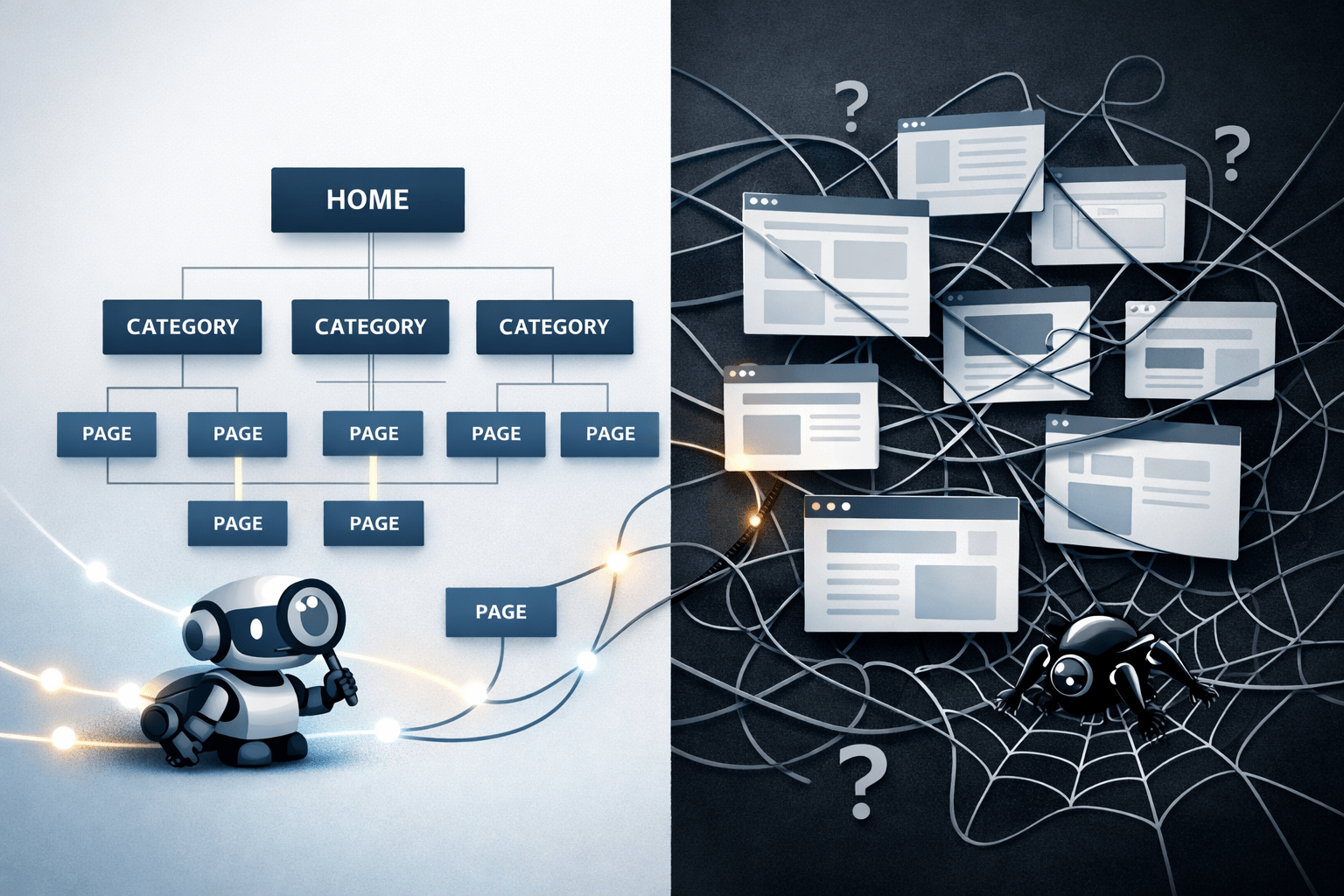
I know that good sites are not about stuffing pages or chasing tricks. It is all about site architecture, structure, and intent. It’s all about designing a scalable system.
So, I built my new site around one core question: Does this make the site easier to use and easier to crawl?
If we’re looking in the mirror, my old site didn’t represent the caliber of work I’m capable of. It was time to lock in and use my skills to better represent who I am and what I’m pursuing. It’s time to walk the walk.
Today marks Day 10 of the new site. It’s still an infant. In one of my first posts, I’m breaking down the exact logic I used for launch.
It’s a work in progress, and I’m likely tweaking the code as you read this (sorry..).
Key Initial Decisions
- Consolidation. Moved from multiple fragmented presences into one focused site with a clear purpose
- Separation. The blog exists to educate while the portfolio exists to prove outcomes, keeping intent clear
- Structure. The site is built to scale naturally as more content, case studies, and systems are added over time
- Let go. Intentionally retired older content from my past that no longer fits, instead of forcing unnecessary redirects
- Clarity. Every content and structural decision prioritizes clarity
- Mobile. Treating mobile compatibility as a primary design constraint, using selective design choices
- Usability. Added practical usability features such as dark mode, a top-page button, interactive blog elements, audio, video, etc.
- Technicals. Strong technical foundations across literally everything I could think of
- Pillar pages. Established 8 stable blog pillar categories and 6 portfolio pillar categories to anchor the site.
Let’s jump right into it, shall we:
Why I Consolidated My Freelancing Business
Before this site, my work lived in too many places. Different pages, different focuses, and no single source of truth. I had a linktree (why, dumb, I was younger…), I had a separate domain for Rose City Marketing, I had a Fiverr account, etc. I consolidated everything into one source of truth because I wanted:
- One brand instead of fragments
- One domain building authority instead of several weaker ones
- One clear path from learning to proof to contact
That consolidation immediately simplified decision-making. It also made internal linking easier and reduced content overlap. I think it helps make the site feel more intentional instead of patched together.
My Main CTA now links to my SEO Systems page, which also mentions my freelancing work. It isn’t prominent, which was a deliberate choice.

Navigation was never about listing everything I offer. It was about guiding people based on intent.
I designed navigation so someone could answer three questions quickly:
- What do I do
- Where can I learn more
- How do I see proof
You can see my structure right now in my menu:
- Home
- About
- Portfolio – Portfolio Pillar Pages (eliminated subcategory pages on mobile)
- Blog – Blog Pillar Pages – Blog Posts (eliminated subcategory pages on mobile)
- Primary CTA

I kept top-level navigation minimal and predictable. I avoided clever labels. The footer handles secondary pages and supporting content, so the main menu stayed clean.
I also thought about pathways. Someone researching SEO takes a different path than someone ready to hire. The site supports both without forcing either.
It’s mobile optimized, has dark mode, has a CTA to my LinkedIn account, and has a neon green link right to my blog under my name. The mobile nav was a pain in my behind, to put it nicely. Still not very good. Ugh.
How I Handled Old Content, 301 Redirects, and Letting Pages Go
I do not automatically redirect every page from an old site just because it exists. Before using a 301 redirect, I look at whether the content still has a clear purpose and whether it actually supports what the site is trying to do now. If a page does not fit the current structure, does not align with user intent, or never moved the needle, I let it fizzle out instead of forcing it into the new site.
I used free wordpress plugins for this. Super easy to download and use.
When I do use 301 redirects, they are intentional. I map old URLs to the most relevant current page, not the closest match by keyword. Redirects exist to preserve value and clarity, not to inflate page counts or confuse search engines. If there is no true equivalent, I would rather return a clean 404 than create a misleading redirect.
For example, on my old site, I had personal blog content. Moving forward, my writing focus is within the SEO industry exclusively. If I write personal stuff in the future, that will be kept somewhere else. That’s why I’m okay letting those blog posts fizzle.
This approach keeps the site focused, prevents outdated content from diluting relevance, and makes it easier for modern search systems to understand what still matters. Not every page deserves to survive, and removing what no longer serves the site is part of maintaining a healthy structure.
How I Handle Page Speed
I treat page speed as a usability problem before an SEO metric. Pages need to load quickly so people can read, scroll, and interact without friction. I focus on removing what slows pages down instead of stacking performance plugins or obsessing over perfect scores.
That means keeping layouts lightweight, limiting scripts to what actually serves a purpose, compressing images, and avoiding unnecessary third-party tools. If something adds visual flair but hurts load time or readability, it does not stay (usually, I’m weak for my own site). The goal is a fast, stable experience that works well on real devices, not just in testing tools.
Despite the advice, it hurts me to go into PageSpeedInsights right now. Trying to improve. But as you can see, I have work to do. As of 2/6/26 my site is sitting at 6.5 FCP and 10.4 LCP on mobile. This will improve as I solidify my new site.

My current strategy for improving speed on my WordPress site specifically:
- AI Diagnostics: Plug PageSpeed reports into AI to get instant fix-it lists
- Selective Loading: Disable specific scripts and plugins on pages that don’t need them (lazy load, for example)
- Mobile Blocking: Hide heavy design elements for mobile users to save bandwidth
- Modern Images: Deliver every image in AVIF or WebP for faster loading
- Server Caching: Use advanced server-side caching to serve pages instantly
Content Built Around Clear User Intent
I treat content as a way to follow user intent as closely as possible.
Every page exists to answer a specific question or support a clear next step, and anything that creates confusion gets removed. I try to avoid mixing intents or forcing extra topics onto a page just to make it longer, but I’m still guilty of this, as we all are. Trying to get better.
When done properly, it keeps the message crystal clear for people and makes it easier for modern search systems to understand exactly what each page is about. The goal is alignment, not volume, so the content stays focused, readable, and easy to interpret.
This is ESPECIALLY true for my initial pillar pages, where user intent is hugely monumental. Blog posts can mix a little, but pillar pages need to stand firm.

I added breadcrumbs site-wide because people get lost on content-heavy sites. Breadcrumbs give context without clutter, and also help the algorithms understand intent.
They help readers understand where they are in the site hierarchy, especially on blog posts and portfolio pages. They also reinforce structure for search engines by clearly showing page relationships.
I treat breadcrumbs as support, not decoration. They appear where hierarchy matters and stay out of the way elsewhere.
I kept breadcrumbs normal on main pages, but eliminated the current “title” breadcrumb for posts, as these can be long and they just repeat the title directly below. Messy with no real value, cleaned up.
Why I Keep URL Structure Simple and Predictable
I keep URL structure boring on purpose. URLs exist to describe where a page lives and what it is about, not to be clever or over-optimized. When someone looks at a URL, they should immediately understand the type of content they are landing on.
For pillar pages, I use short, descriptive paths that reflect hierarchy.
- Blog Index: /seo-blog/
- A blog pillar example: /seo-blog/modern-search-systems/
- Portfolio Index: /portfolio/
- A portfolio pillar example: /portfolio/modern-search-and-ai-driven-discovery/
- Standalone pages example: https://haydenschuster.com/resume/
Individual posts currently include dates, like /2026/01/28/2026-auto-seo-trends-to-take-advantage-of/.
That structure is a limitation of my WordPress plan, not a strategic choice. Even so, the slug remains descriptive and intent-focused, which is what matters most. If the platform changes in the future, I would simplify blog URLs further, but I do not let this constraint distort how content is written or organized. I also de-indexed date archive pages, cause it gets weird if I publish multiple posts in one day.
Overall, the structure is and will stay consistent, especially as the site expands. Pillars are clean and permanent. H1 intent and most important keywords show up. Supporting content lives where people expect it. That consistency makes navigation easier for users and makes it clearer for modern search systems to understand how pages relate to each other.
Why I Split SEO Blog and SEO Portfolio
I separated the SEO Blog and the SEO Portfolio because they serve completely different jobs.
The blog exists to educate. It explains concepts, processes, and decisions. It attracts people earlier in their search journey.
The portfolio exists to prove results. It shows outcomes, not theories.
Mixing those two creates confusion. Separating them made each section stronger and easier to navigate. This was a huge priority site-wide.
How I Structure the SEO Blog
I treat the blog like a library, not a timeline.
I used a small number of stable pillar categories that represent broad SEO topics. These category pillars act as anchors and are rarely changed. You can see these pages in my navigation.
I have my central “single post” template, where I add relevant links above and below my individual posts. I also have a “main blog template,” which controls my blog index page. This helps, so I’m not starting from scratch every time and can focus on the content itself.
Tags stay secondary. I use them to connect related ideas across categories, not to replace anything. That keeps tag pages from becoming thin or messy.
Blog templates stay (relatively) consistent, so readers always know what to expect. Ongoing blog posts continue to follow the same structure, so the library grows without becoming chaotic. Below you see breadcrumbs, a clear title, date, author, categories, tag, image, and a line below that addresses all 8 SEO blog pillar pages on every post I create.
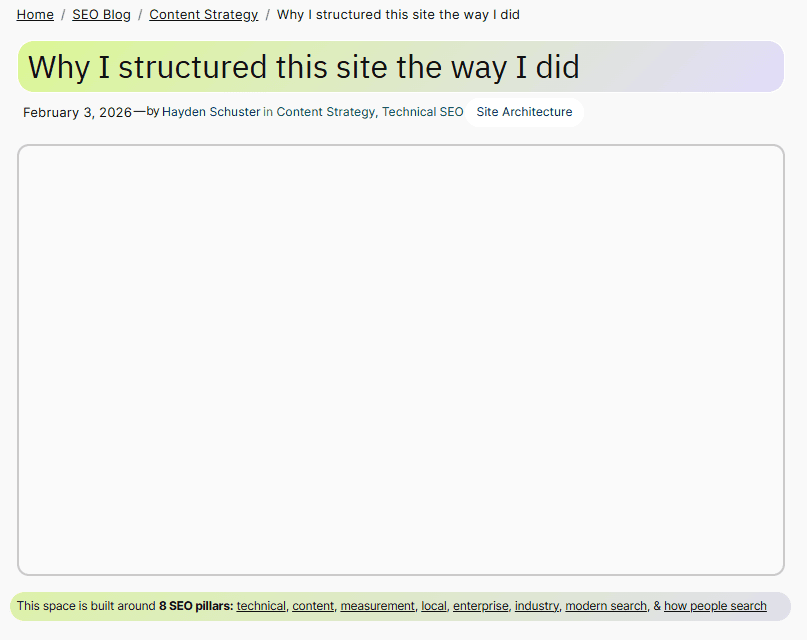
I also made sure to permanently de-index category and tag archive pages that are primarily for breadcrumb organization. I don’t want these competing with my main pillar category pages. Important note.
Search Intent a Priority.
Trying to follow my own advice about informational, transactional, navigational, and commercial.
4 Types of Search Intent
Every search falls into one category. Match your page to user intent or lose the click.
Interactive Elements
Throughout the site, and especially on my blog, I added some interactive elements like videos, audio, emoji reactions, a comment section, likes, share, etc. to increase community involvement. This is supposed to be fun!
For example, on my homepage, I added an explainer video about what my website is about. On my blog, I added a conversation (it’s AI and kind of cheesy, but also insightful and ranks for conversational style keywords). On individual posts, I added emoji reactions, comments (that I need to approve before going live, of course), social share elements, related posts, and that type of stuff. For pillar pages, I made sure to add loop queries of my posts organized by category. Dark mode widget. Back to top widget. etc…
How I Structure My SEO Portfolio
Portfolio pages focused on clarity and scanning.
I organized work by service type and outcome rather than by date. This made it easier for visitors to find examples that matched their situation.
Each portfolio item stayed concise. It explained the problem, the work, and the result without unnecessary storytelling. Where helpful, pages linked back to relevant blog content for deeper explanation.
I will also be adding case studies in the next few weeks, and just recently added my SEO Decision log, to help with credibility.

How I Use Pillar Pages
Pillar pages are the backbone of the site.
A huge priority of mine is to keep the pillar page content easy to understand for all. I try to simplify things, with internal links to more complex topics. This helps with usability.
For the blog, pillar pages act as topic hubs. Each pillar covers a broad subject and is linked to related posts that go deeper. This helps readers explore without guessing and helps search engines understand topical relationships.
For the portfolio, pillar pages group proof. Instead of isolated case studies, related work lived under a shared hub. This makes results easier to compare and reinforces expertise in specific areas.
I still update pillar pages as new content is published, so they stay current and useful.

For all content I create, I make sure to link back to my hub pages whenever relevant.
How I Handle On-Page SEO Structure
I treat on-page SEO like a checklist, not a creative experiment.
Every page has:
- One clear H1 title that matches intent
- Logical H2s that map the main sections
- H3s/4s only when they add clarity
- Title Tag/Meta Descriptions that fit intent (also for social if needed)
- Image with alt tags (at least with the main image, I can get lazy on some within the content lol)
- Pillar page links when appropriate
- Internal links to content that aligns
- Widgets like dark mode/up to top of page that help with usability
- Search feature on every template
I review title tags and meta descriptions manually. I add alt text to my images. I add captions to my videos. I add social share content to pages that need it. I add excerpts when relevant. I do each of these to be accurate first and compelling second. I avoided duplicates and made sure metadata reflects the actual content on the page.
That consistency make pages easier to scan and easier to maintain long-term, so happy with this.
Why I Added FAQs to Most Pages
FAQs solve real problems.
They answer objections I hear repeatedly or in the industry. They reduce friction before contact. They also capture long-tail searches naturally without forcing keywords into the main copy.
I keep FAQs focused and limited. They support the page instead of bloating it. This approach continues on new pages where it makes sense.

How I Use Screaming Frog and Ahrefs
Content alone does not fix technical issues. That’s why I ran audits.
With Screaming Frog, I check things like:
- Broken links
- Redirect chains
- Missing or duplicate titles and H1s (lots of tools for this though, for individual pages i like detailed SEO Extension)
- Click depth and orphaned pages
With Ahrefs, I monitor overall site health and recurring technical patterns. Plus keyword stuff and content gaps.
These audits help me catch structural problems early and keep the site clean as it grows. It’s still very new as of this post!!
Favorite Free WordPress Plugins
Note: This is for my “personal account tier, not business tier”. Limited options.
SEO & Performance:
- Yoast SEO – The first free all-in-one SEO plugin I used. Handles titles, meta descriptions, XML sitemaps, and readability checks without overwhelming you. Obviously awesome you know this already
- 301 Redirects – Makes managing redirects dead simple. Essential when consolidating sites or letting old content go.
- ShortPixel Image Optimizer – Automatically compresses images to WebP/AVIF. Set it and forget it – huge help for page speed.
- WP-Optimize – Cleans database, compresses images, and caches pages. One plugin doing multiple speed jobs. I use shortpixel and wp-optimize together for images to get free tier complete coverege.
User Experience:
- Darkify – Added dark mode with one click. Modern users expect it, this delivers it without custom code. This might be my favorite one honestly, so cool!
- LuckyWP Table of Contents – Auto-generates TOCs for long posts. Readers can jump to sections, Google loves the structure. Found out about this one way too late 🙂
- Instant Emoji Reactions – Lets readers react to posts quickly. Low-friction engagement that actually gets used. A lil fun.
Content & Layout:
- TablePress – Creates clean, sortable tables without fighting with HTML. Perfect for comparison charts and data.
- Gutenberg – WordPress’s block editor. Once you learn it, building pages is fast and flexible.
- a3 Lazy Load – Images load as users scroll. Speeds up initial page load without sacrificing content.
Forms & Engagement:
- WPForms Lite – Contact forms that actually work. Drag-and-drop builder, spam protection included.
- Crowdsignal Polls & Ratings – Quick polls and ratings for reader interaction. Good for “which topic next?” engagement.
Technical Essentials:
- Site Kit by Google – Connects Analytics, Search Console, and PageSpeed Insights in one dashboard. Pretty sick
- Jetpack – but only for security + performance, not using for their marketing tools (so bad use site kit). The free version covers backups and basic security.
- Akismet Anti-spam – Stops comment spam
How I Keep the Site Simple as it scales
I did not build a system that needs constant babysitting.
My ongoing approach is straightforward:
- New pages follow existing templates
- Categories rarely change
- Pillar pages get updated when new content is added automatically
- Technical crawls happen on a regular schedule
Simplicity makes consistency possible.
Conclusion
I built this site by removing friction, not adding features. Every decision comes back to clarity. I want people to understand what I do, find what they need quickly, and move through the site without thinking about structure at all. I hope that this goal is a success. I still have a lot to learn.
FAQ: Site Architecture and SEO
What is a good site architecture for SEO?
A good structure is shallow, logical, and predictable. Important pages should never feel buried, and related content should link naturally.
Should blogs and portfolios live in the same section?
No. Blogs educate, and portfolios prove results. Separating them makes intent clearer and navigation easier.
Do breadcrumbs actually matter for SEO?
They matter for usability first. When implemented correctly, they also reinforce hierarchy for search engines.
How many categories should a blog have?
As few as possible while still being useful. Categories should represent major topics, not individual ideas.
What is a pillar page in SEO?
A pillar page is a comprehensive hub that links to related content. It helps users explore and helps search engines understand topic depth.
How often should technical SEO audits be run?
For a growing site, quarterly is usually enough. More often, if content is published frequently.
How do I know if a page fits my site architecture?
A page fits if it has a clear purpose, supports a specific user intent, and connects naturally to related content. If it feels forced or isolated, it probably does not belong.
When should I use a 301 redirect instead of letting a page go?
I use a 301 redirect only when there is a clear, relevant replacement. If a page never served a real purpose or no longer aligns with the site, letting it return a clean 404 is often the better choice.
Does URL structure still matter with modern search systems?
Yes, but clarity matters more than keywords. Clean, predictable URLs help users understand where they are and help search systems understand how pages relate to each other.
How many clicks away should important pages be from the homepage?
Important pages should be reachable within a few clicks. If a page matters, it should not feel buried or hidden behind multiple layers.
Should I update old content or publish something new?
If the intent already exists on the site, updating and improving content is usually better. New pages should only be created when they serve a distinct purpose.
Can internal linking be overdone?
Yes. Too many links can dilute focus and confuse users. Internal links should guide people to the next logical step, not overwhelm them.
How do I avoid keyword cannibalization in site structure?
I assign one clear intent to each page and avoid creating multiple pages that try to answer the same question in slightly different ways.
Should category and tag pages be indexed?
Only if they provide real value on their own. If they exist mainly for organization, I noindex them to avoid thin or competing pages.
How do I decide what belongs in navigation?
Navigation is reserved for the most important paths. Everything else is supported through internal links within content.
Does site architecture matter for small websites?
Yes. A clean structure helps small sites grow without becoming messy and makes it easier for search systems to understand what matters most.
How do I know when a page is doing its job?
A page is doing its job when people land on it, understand it quickly, and take the next step without confusion.
What happens when search intent changes over time?
I update, merge, or remove pages to realign with current intent. Structure is flexible, but clarity always comes first.












Join the conversation!